Logitech Squeezebox Classic review
The Squeezebox Classic is a lusciously curvy model sporting a rather fetching black and silver outfit and operating via Ethernet or wireless, and happy with PC or Mac

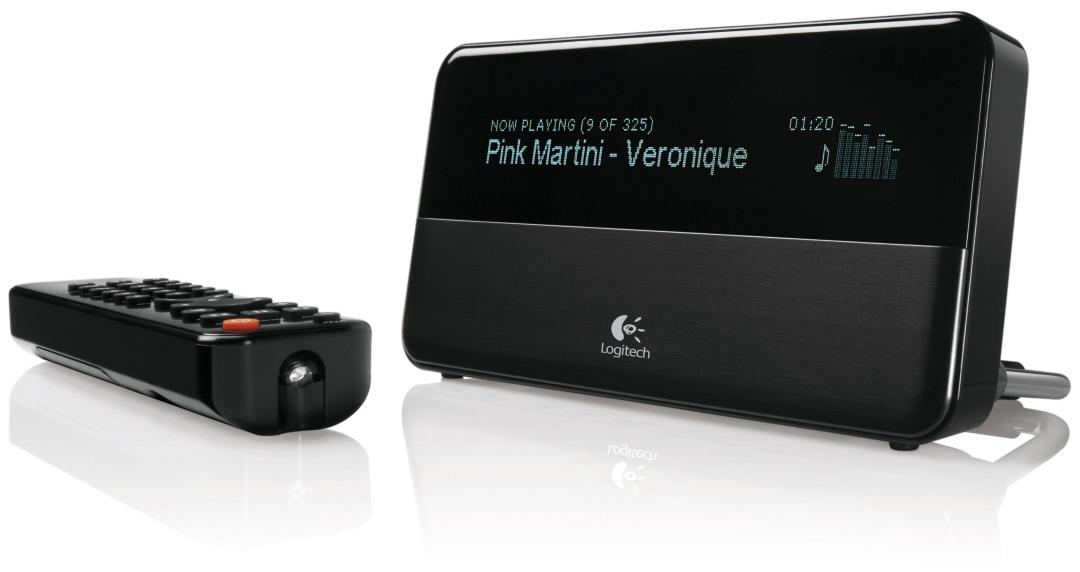
Logitech’s Squeezebox Classic makes Slim Devices’ first audio streamer, the SliMP3, look as if it was built by a (destined to fail) Design & Technology GCSE student.
Out with the old…
Gone is the all-black, clunky square-edged number, replaced by a lusciously curving model sporting a rather fetching black and silver outfit (there’s a black and white version, too).
As with all but the Acoustic Energy and the Philips, this unit operates via Ethernet or wireless, and is happy with PC or Mac. You can save 60 sheets if you’re not fussed about wireless capability but our test model was fully kitted out.
Music minded
The Squeezebox didn’t take long to load up with tunes, although set-up did take longer than it could have. This is mainly because you have to load Slim Devices’ own software, SlimServer, and then twiddle your thumbs while Slim sorts your tunes.
Once done, though, audio delivery – helped by a top-drawer digital-to-analogue converter and a decent amp and speakers – rivals the Roku M1000 (a Stuff fave) for excellence. Click on some high-quality FLAC or Lossless, and tunes sound even fuller and rhythmic. The only oddity is the admittedly functional but dog-ugly remote control – the sexy head unit deserves better.
Stuff Says…


 Stuff Staff